Dining Room Staging: Pro Tips for Realtors to Sell Faster
Dining room staging affects how buyers read a listing online. In 69% of staged homes, agents stage the dining room, placing it behind only the living room at 91% and the primary bedroom at 83%, according to the National Association of REALTORS' 2025 Profile of Home Staging. For agents, that makes the room a listing-photo decision, not a decorative afterthought. A clear composition helps buyers understand the layout, imagine daily use, and keep scrolling with fewer unanswered questions.
A dining room may look polished in person yet photograph as cramped, dim, dated, or purposeless. Choose furniture that fits the frame, preserve circulation, and control reflections and shadows before the photographer arrives. Styling should support the room's function without filling every surface.
If the room is empty, virtual staging can show a credible dining setup, but agents should keep proportions realistic and disclose the digital treatment. The goal is a convincing online image that represents the space accurately, not a design that works only on screen.
Why Dining Room Staging Is a Listing Non-Negotiable
Dining room photos must communicate quickly because buyers usually review a listing online before booking a showing. The image should answer practical questions at a glance: whether a table fits, how the room connects to the kitchen or living area, and whether the space could support meals, guests, or everyday routines.
NAR's 2025 staging survey on sale prices and time on market gives agents a measurable business case. Twenty-nine percent of real estate agents reported that staging produced a 1% to 10% increase in the dollar value offered, while 49% said staging reduced time on market. The survey does not isolate the dining room's individual return, so avoid promising a room-specific result. It does show why staging selected spaces can support the wider marketing strategy.
NAR's 2025 NAR staging profile also found that 69% of agents staged the dining room, compared with 91% for the living room and 83% for the primary bedroom. The same 69% figure appeared in the 2021 and 2023 profiles, indicating that dining rooms have remained a steady staging priority rather than a temporary design trend.
That consistency matters during the listing presentation. Sellers may treat the room as secondary if their household rarely uses it formally. Buyers still need to understand its purpose and scale. A composed image assigns the room a clear role, helping prevent them from reading it as unused or wasted square footage.
Practical rule: Stage the dining room for the buyer's first online impression, not only for the seller's current routine.
The business case behind the image
A staged dining room can strengthen the entire image set. It may provide a strong horizontal MLS photo, a lifestyle crop for social media, and a visual transition between kitchen and living-area images. Consistent composition makes the listing feel deliberately presented instead of assembled from unrelated room photographs.
The camera also exposes problems that buyers may overlook during a quick visit. An oversized table can make circulation look restricted, a dark finish can absorb available light, and reflective surfaces can create distracting hotspots. Furniture scale, sightlines, and surface control therefore affect both perceived livability and photo quality.
Stage the room as evidence of livability
A bare dining room leaves buyers to estimate proportions and invent a purpose. An overfilled room makes them solve a layout problem. Effective staging shows how the space works while preserving enough visual breathing room for the architecture and floor area to remain clear.
Match the setup to the property and its likely audience. Formal homes may suit a composed dining arrangement, while open-plan properties often benefit from a flexible, everyday presentation. If the room is empty, virtual staging can illustrate a credible setup, provided the furniture proportions remain realistic and the digital treatment is disclosed. Each physical or virtual choice should make the online image easier to understand and the listing's use of space easier to trust.
The Pre-Staging Foundation for Flawless Photos
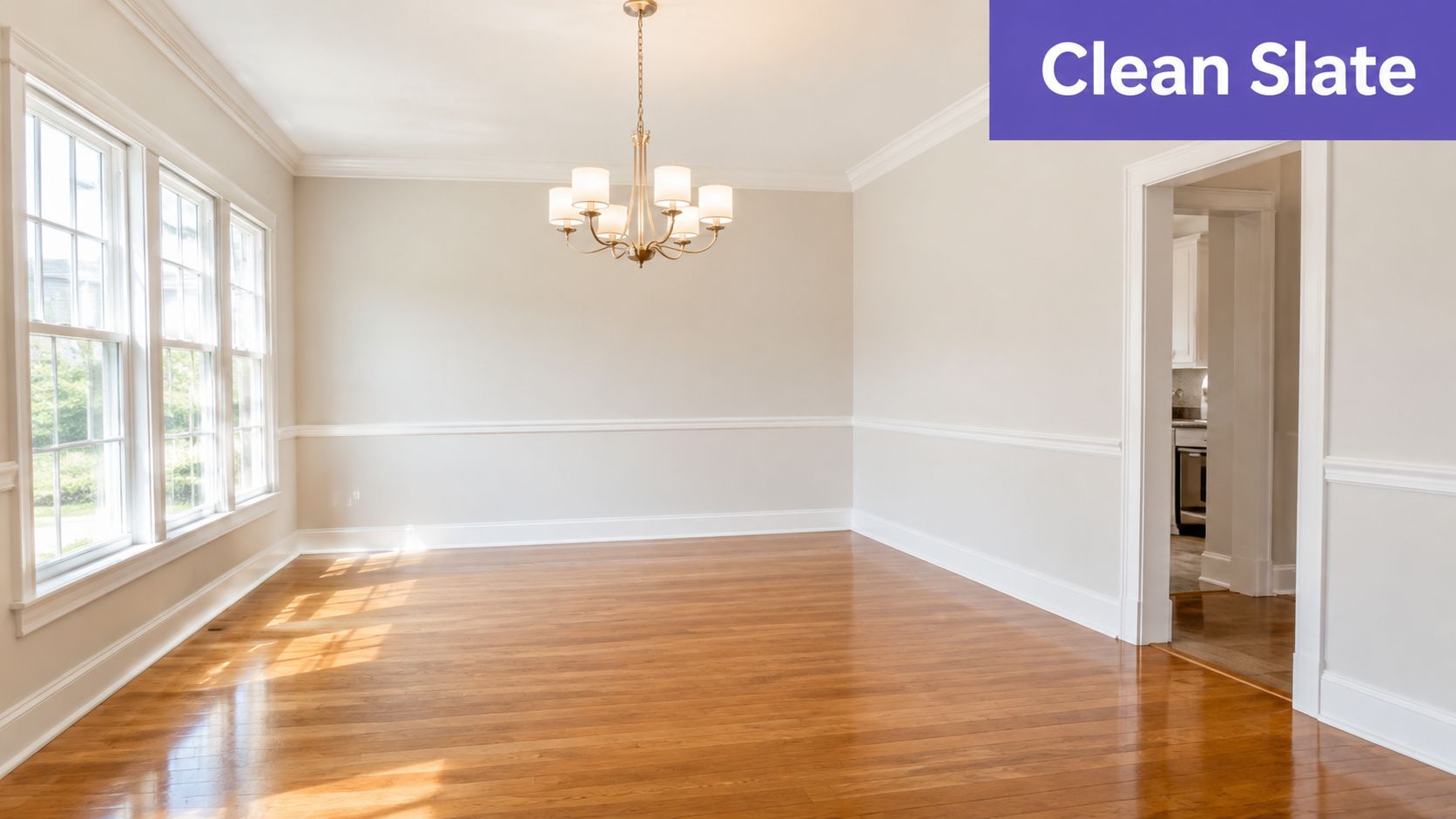
Before selecting a centerpiece, remove anything that competes with the room's architecture. Dining rooms often collect mail, school materials, extra chairs, display items, pet supplies, and furniture that belongs elsewhere. Those objects create visual noise and make professional photography work harder.
Start with a full reset. Clear the table, sideboard, floor, windowsills, walls, and nearby transition areas. If the dining room opens to another space, declutter the sightline beyond it as well. Buyers won't separate the dining room from the background visible through its doorway, and the camera certainly won't.
Clean for the lens, not just the eye
Natural light exposes dust on dark furniture, fingerprints on glossy surfaces, streaks on windows, and buildup around baseboards. Clean the chandelier, wipe chair legs, wash windows, dust crown molding, and vacuum or mop the floor edges. A camera captures the repeated lines and reflective surfaces that people may overlook during a quick walk-through.
Use a neutral, low-sheen finish on surfaces where possible. Highly reflective tabletops and polished furniture can produce distracting hotspots under photography lights. The goal isn't to remove character. It's to keep reflections controlled so the room's proportions and materials remain readable.
For a room-by-room reset, use this clear-a-room guide to organize the removal process before the stylist or photographer arrives.
Repair small defects that become large distractions
Walk the room at camera height and inspect it as a buyer would. Patch nail holes, tighten loose hardware, touch up scuffed baseboards, repair damaged chair seats, and replace burnt-out bulbs. Check the door, trim, flooring transitions, and any visible wall plates. Minor defects don't need expensive renovation to affect a photo, because a dark scuff or crooked fixture can pull attention away from the room's strongest feature.
Ask the seller to complete repairs before styling day. Moving furniture around a damaged baseboard or trying to hide a loose light fixture creates compromises that show up in multiple angles.
Build a neutral canvas
Personal photographs, collections, political items, strong seasonal décor, and highly specific artwork narrow the buyer's mental picture. Remove them unless they provide scale or architectural context. Keep one or two appropriate design elements if the room needs warmth, but avoid letting the seller's identity become the subject of the photograph.
A clean canvas also makes virtual staging more reliable. Digital furniture works best when the source photo has clear floors, visible walls, accurate perspective, and no clutter blocking the areas where furniture must sit. Good preparation improves both physical styling and digital editing.
Choosing Furniture and Perfecting the Layout
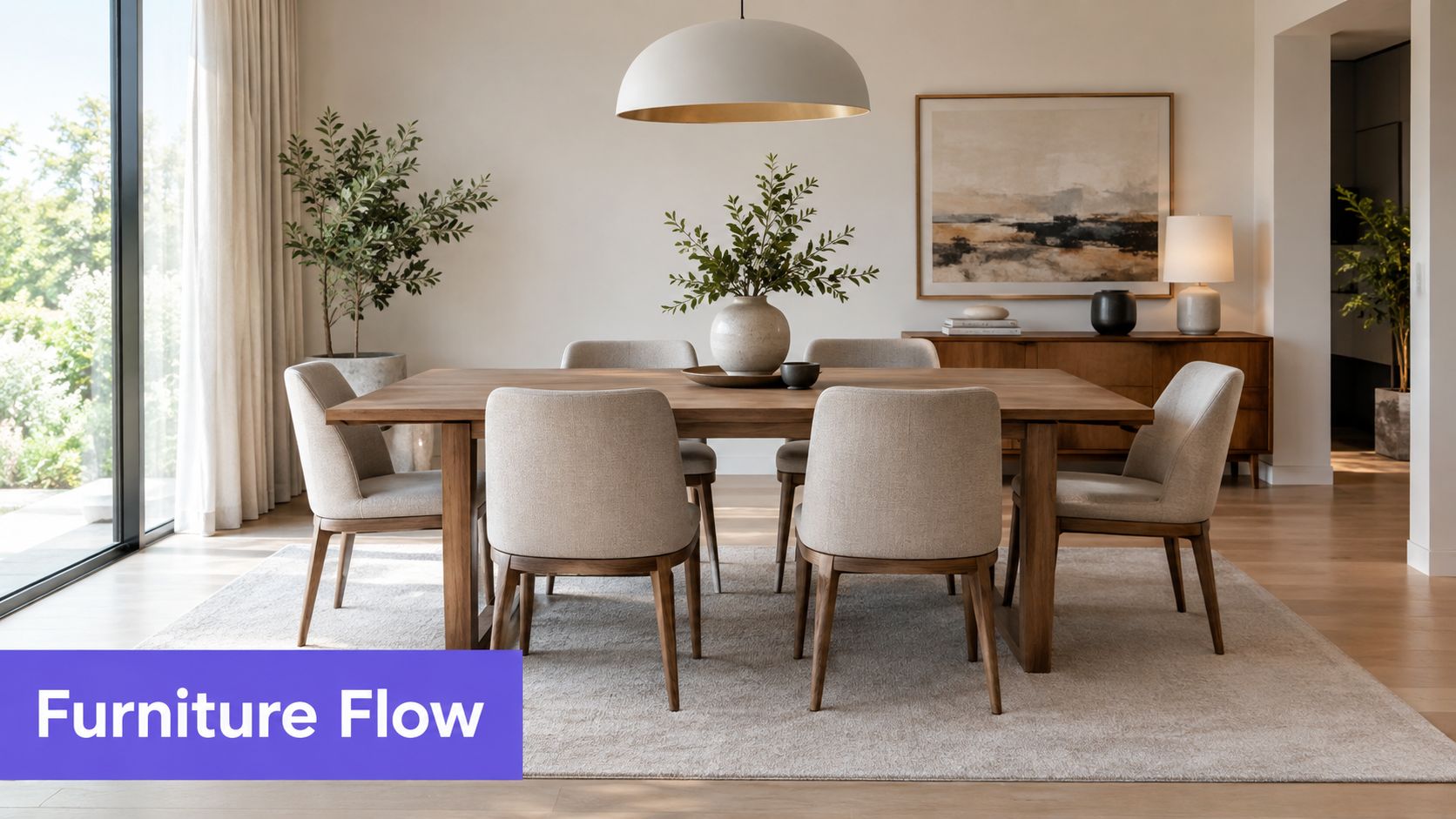
Furniture establishes whether a dining room feels generous or constricted, and the camera exaggerates poor scale. A table that seems acceptable during a walk-through may dominate a wide-angle photograph, while chairs pushed too close to walls can make circulation appear impossible.
Begin with the room's geometry. Center the table on the main architectural feature when possible, such as a chandelier, window grouping, or fireplace. Keep the composition balanced in the camera frame, but don't sacrifice real-world movement just to create symmetry. Buyers will notice if the image promises space that the room can't deliver.
Match the furniture to the room
Use a table shape that supports the architecture. Round tables soften compact rooms and improve circulation around corners. Rectangular tables reinforce long rooms and can align with linear sightlines. In a narrow dining area, a slim table and visually lighter chairs usually photograph better than a heavy set with thick arms and an oversized base.
Chairs should show the table's function without filling every available inch. Use enough seating to communicate capacity, then remove pieces that block doorways or press against walls. A sideboard can anchor a long wall, but it shouldn't become a second focal point that competes with the table.
If the existing furniture is too large, dated, or mismatched, don't force it into the listing. A smaller rental set, selective removal, or virtual replacement may communicate the space more accurately.
Decide between formal and flexible
The target buyer should influence the room's story. Recent staging commentary describes a divide between older buyers and retirees, who often prefer a formal dining room, and younger buyers and families, who may view the same area as a flex room for work, play, or school.
That doesn't mean every contemporary listing needs a desk. It means agents should identify the most credible use for the property. A traditional dining setup may suit a home with separated rooms, architectural millwork, and a buyer profile that values entertaining. A smaller table paired with a console, compact desk, or lounge chair may suit an open-plan home where flexibility is part of the appeal.
| Property signal | Stronger staging direction | Why it works in photos |
|---|---|---|
| Separate room with formal architectural details | Refined table, coordinated chairs, restrained table setting | Reinforces the room's intended purpose |
| Open connection to kitchen or living room | Light furniture and a simple dining arrangement | Preserves sightlines and shows flow |
| Compact room or awkward corner | Round or slim table with fewer visual layers | Makes circulation easier to read |
| Buyer audience seeking adaptability | Dining table plus one subtle flex element | Shows function without confusing the room |
Use AI furniture placement to test scale and arrangement before committing to a final layout. The tool should support your judgment, not replace a physical walk-through.
A staged dining room should show buyers where life happens, while leaving enough visual breathing room for them to add their own version of it.
Styling and Accessorizing for Maximum Appeal
Accessories should create a focal point, not a scavenger hunt. In listing photography, every extra object competes for attention, and dining rooms already contain repeated shapes from chairs, table legs, window frames, and architectural trim. A restrained styling plan gives the camera one clear story.
Choose a centerpiece with a low profile. A shallow bowl, compact arrangement, sculptural vase, or simple branch display adds scale without blocking the view across the table. Tall arrangements often look impressive in person but obstruct sightlines and make the room feel divided in photographs.
Create an aspirational table
Set the table lightly. A neutral runner, a small arrangement, and a few coordinated place settings can suggest hospitality without making the property look ready for a holiday event. White or soft neutral dishes, understated napkins, and simple glassware tend to photograph more cleanly than heavily patterned pieces.
Avoid setting every seat with multiple layers. The camera reads repeated clutter quickly, particularly in smaller rooms. If the table has a distinctive finish, leave enough of it visible to communicate the material and condition.
Layer the room around the table
A rug can define the dining zone in an open plan, but it must be large enough to look intentional under the table and chairs. A rug that ends abruptly beneath chair legs makes the arrangement appear undersized. If the floor is a strong selling feature, skip the rug rather than hiding it.
Window treatments should frame natural light without swallowing it. Open curtains fully for daytime images, and remove heavy valances or dated panels when they dominate the upper half of the photograph. Choose art that supports the room's palette and scale. One large piece or a balanced pair usually creates a stronger focal point than a crowded gallery wall.
- Centerpiece: Use one low, proportionate object or arrangement.
- Table setting: Suggest a meal, don't stage a full event.
- Wall art: Echo the room's colors without introducing an aggressive theme.
- Sideboard styling: Combine one lamp, one artwork or mirror, and a small accessory group.
- Textiles: Add softness through a rug or restrained drapery only when the room benefits from definition.
Step back after every addition and check the image from the photographer's likely position. If an item doesn't improve scale, warmth, or focus, remove it. Less is more when every object becomes part of the listing photo.
Mastering Light and Color to Win Online
Lighting determines whether buyers see a welcoming dining room or a flat, yellow space. Before photography, open blinds and curtains, clean the glass, and remove anything blocking windows. Natural light usually gives the room the most convincing sense of depth, especially when it reaches the floor and table surface rather than only the walls.
Turn on practical fixtures when they add warmth or show a desirable chandelier. Replace dead bulbs and match the bulbs throughout the visible room. Mixed bulb colors create patches of blue, white, and yellow that can make walls and furniture look inconsistent.
Control artificial light
Use warm, ambient illumination rather than relying on a single overhead fixture. A chandelier, sconces, and a lamp on a sideboard can create layers, provided each source has a compatible color appearance. Ask the photographer to balance the exposure so windows retain detail while the interior remains bright.
Avoid colored bulbs, harsh cool-white light, and decorative lamps with exposed glare. Cool light can make neutral walls look sterile, while overly warm light can distort white trim and dishware. You don't need to turn the dining room into a showroom. You need consistent light that preserves the room's actual materials.
Choose color for camera stability
Neutral paint gives buyers room to project their own furnishings, but neutral doesn't mean featureless. Soft whites, warm greiges, gentle taupes, and muted beige-gray tones generally create a calm backdrop when the undertones work with the flooring and adjacent rooms.
Test the proposed color in the actual room. A shade that looks balanced in a store can reveal pink, green, blue, or yellow undertones under the property's windows and bulbs. Keep the ceiling and trim clean and coherent with the walls so the camera records architectural edges clearly.
Direct the photography session
Photograph the room when its best natural light reaches the space, if the schedule allows. Keep the table surface free from reflective clutter, straighten every chair, and inspect the room through the camera before final shots. A quick phone image can reveal crooked frames, dark corners, and competing sightlines that are easy to miss while standing inside the room.
Color rule: Test paint and bulbs together. Buyers see the combined effect, not each choice in isolation.
Leveraging Virtual Staging for Dining Rooms
Virtual staging becomes especially useful when the physical room can't be prepared economically or quickly. Vacant dining rooms often photograph without scale, while dated furniture can make an otherwise attractive property feel stuck in another era. In both cases, a digitally furnished image can show buyers how the room accommodates real life without waiting for a full physical installation.
Virtual staging for agents is used to add furniture in curated styles or remove existing furniture and clutter, a workflow described in this NAR-focused explanation of virtual staging for real estate. Homes.com also describes virtual staging as digitally adding furniture, décor, and lighting adjustments to listing photographs, with the dining room among the key spaces agents should consider for listing presentation in its guide for listing professionals.

Use digital furniture to solve a specific problem
Don't add furniture because the room looks empty. Decide what the buyer needs to understand first.
- Vacant room: Add a properly scaled table, chairs, and restrained décor so buyers can read the room's dimensions.
- Oversized furniture: Remove pieces that block circulation, then show a lighter arrangement.
- Dated style: Replace visually distracting furniture while preserving the room's actual architecture.
- Unclear function: Present either a dining setting or a subtle flex use, based on the property and target audience.
- Cluttered listing photo: Clear personal items and excess furniture before adding a coherent digital arrangement.
The source photograph still matters. Keep the camera angle, flooring, windows, doors, trim, and permanent fixtures accurate. A virtual dining set should sit naturally on the floor, respect perspective, cast believable shadows, and leave the room's dimensions understandable. If the digital furniture changes the apparent width of a passage or hides a structural feature, it may attract clicks while damaging trust at the showing.
Stage AI offers an iOS workflow for real estate professionals that can add or remove furniture and personal items, apply styles such as modern or farmhouse, and accept plain-English instructions for specific changes. It also produces downloadable HD images intended for MLS, print, and social use, so agents can keep the selected dining-room concept consistent across marketing channels.
Give the tool precise direction
A vague prompt produces a vague visual brief. Specify the table material, chair count, palette, centerpiece scale, and intended mood. For example, request a rectangular wood table, upholstered chairs in a neutral fabric, a low floral centerpiece, and warm ambient lighting. Then check whether the result still matches the property's architecture and likely buyer.
Use the AI virtual staging workflow as a way to develop a marketing-ready concept, not as permission to misrepresent the listing. Clearly label virtually staged images wherever required by your MLS or local rules, and retain accurate unedited photographs so buyers can distinguish the property's existing condition from the design suggestion.
Virtual staging works best when it gives an empty or problematic room a credible purpose. It doesn't replace cleaning, repairs, or honest disclosure. It gives your listing another way to communicate potential when physical staging isn't practical.
A second visual can help agents evaluate how the final composition might read in a listing workflow.
The Agent's Ultimate Dining Room Staging Checklist
A dining room is ready for photography when its images show three things immediately: cleanliness, suitable furniture, and a credible purpose. Complete the checklist before the photographer arrives, then inspect the actual camera frames. A room that feels balanced in person can still look cramped, dark, or cluttered online.
Before the shoot
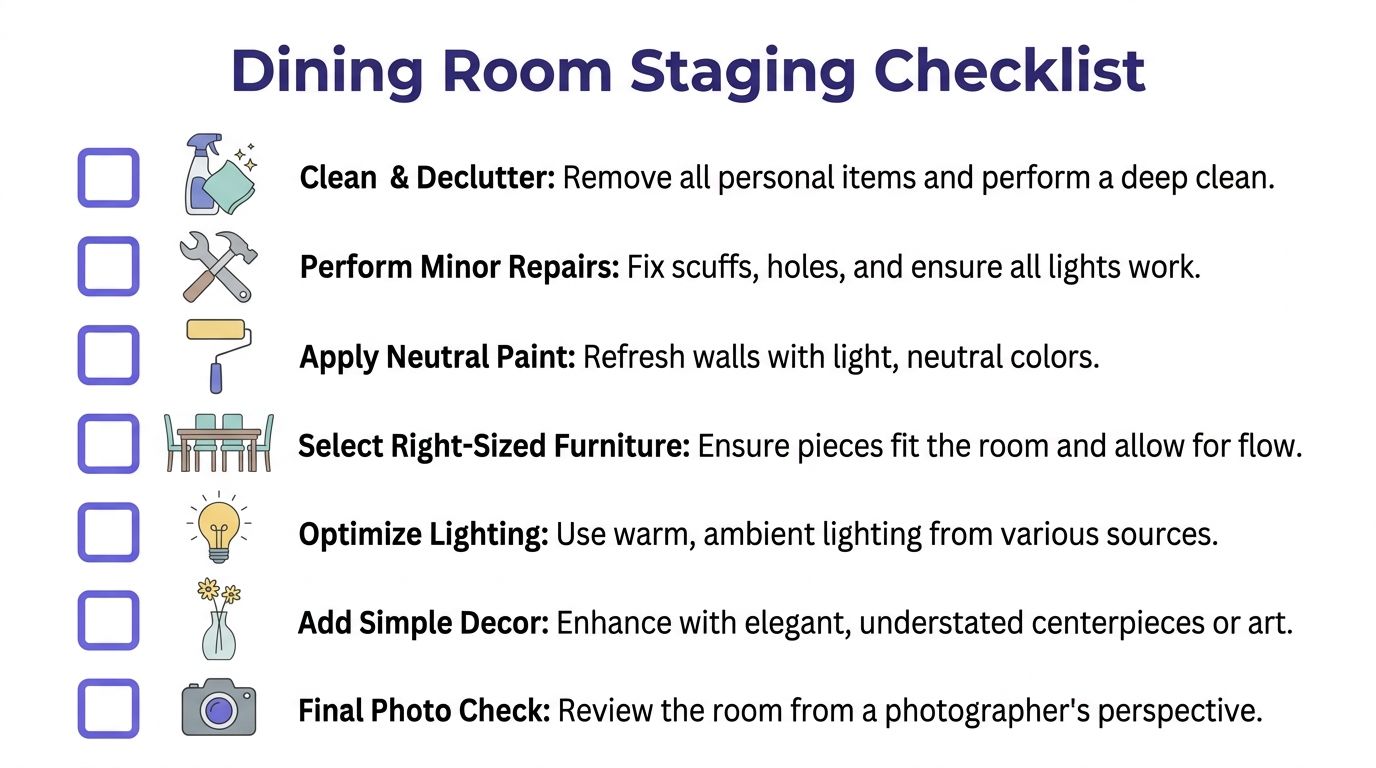
- Clean and declutter: Remove personal items, excess furniture, dust, fingerprints, and anything visible through adjoining doorways.
- Perform minor repairs: Fix wall holes, trim scuffs, loose hardware, damaged upholstery, and nonworking lights.
- Apply neutral paint: Refresh distracting walls with a light, balanced neutral that works with the floor and neighboring rooms.
- Select right-sized furniture: Confirm that the table and chairs fit the room, preserve circulation, and read clearly from the primary camera angle.
- Optimize lighting: Combine clean natural light with compatible warm ambient sources. Replace glaring or mismatched bulbs.
- Add simple décor: Use one restrained centerpiece, coherent art, and limited textiles to suggest an elegant but livable setting.
- Complete the final photo check: Review every frame for crooked chairs, blocked paths, reflections, dark corners, visible clutter, and inaccurate virtual edits.
Review the listing as a buyer
Open the images in the sequence buyers will see online. Check whether the dining room connects visually with the rest of the home, whether the furniture shows scale without crowding the frame, and whether the room reads as formal, flexible, or both.
If the visual message is unclear, correct it before publishing. Remove a competing accessory, adjust the table angle, brighten a corner, or select a more suitable virtual layout. Small changes often improve a listing more than another decorative object.
The financial rationale extends beyond this room. Earlier findings support treating staging as part of the listing strategy rather than an optional styling expense. The practical test is whether each adjustment helps buyers understand the room faster and keeps the property's presentation consistent across its photographs.
Stage AI helps real estate professionals create photorealistic dining-room concepts, remove clutter or outdated furniture, and prepare HD visuals for MLS, print, and social media. Use Stage AI to test a market-appropriate dining layout before the listing goes live, then select the version that presents the property clearly and accurately.